In this guide 7 sections
Fibre broadband in Bangladesh has got fast and cheap; routers have not kept up. A ten-year-old single-band router will cap a 100 Mbps line at a fraction of that and leave the back bedroom with one bar. This guide walks through the four decisions that matter and the setup step most people get wrong.
1. Ports: gigabit or 10/100
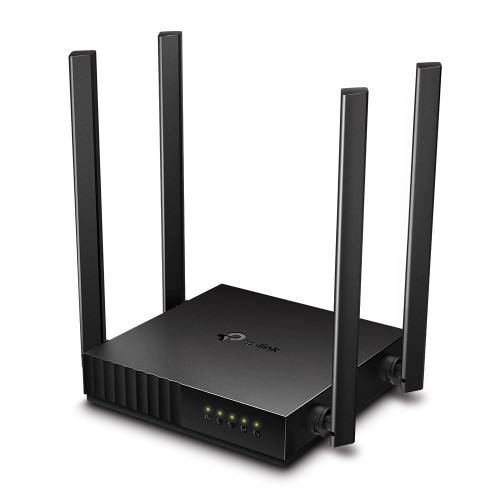
If your package is 50 Mbps or more, the router's WAN port must be gigabit. A 10/100 port tops out at around 95 Mbps however fast the fibre is. The TP-Link Archer C6 is the entry point for gigabit; the Archer C54 is a good dual-band choice for lines under 100 Mbps.
2. Bands: 2.4 GHz for reach, 5 GHz for speed
Dual-band routers run both. 5 GHz is fast but stops at the first thick wall; 2.4 GHz reaches further but is slower and crowded in apartment blocks. Give both bands the same name and password so phones switch on their own, or name them separately if you want to pin a TV to 5 GHz.
3. Coverage: antennas are not the answer
A single router covers a two-room flat reliably. For a three-bedroom flat with brick walls, or two floors, no amount of antennas fixes the far end — you need either a second router in repeater mode or a mesh pair. Place the router centrally, off the floor, away from the fridge and microwave; this alone cures most dead rooms.
4. Device count
Phones, laptops, a smart TV, a couple of smart plugs and a camera add up to fifteen devices quickly. MU-MIMO and WiFi 6 help when many devices talk at once; for a family flat they are worth having, for a single person they are not the first priority.
Setting up with a Bangladeshi ISP
- Ask your ISP whether the line is PPPoE (you will have a username and password) or dynamic IP.
- Connect the ONU's LAN port to the router's WAN port, not to a LAN port.
- In the router's setup page (the address is printed on the label), choose the connection type and enter the details.
- Change the admin password and set a WiFi password of at least twelve characters.
- Switch the 2.4 GHz channel to 1, 6 or 11 if neighbours' networks crowd yours.
When a pocket router is the better buy
If you move between a village home and the city, or your area has no fibre, a 4G/5G pocket router with a local SIM is the practical option. The Hoco DQ11 runs on battery for a working day; the OLAX M100 adds 5G and doubles as a power bank. Check the LTE bands against your operator before you buy.
For a desktop PC without WiFi
A USB adapter such as the GearUP 600 Mbps dual-band adapter adds WiFi and Bluetooth to a PC for the price of a cable, no driver hunting on Windows 10 or 11.
See every router, mesh system and adapter on the networking & WiFi shelf; all ship cash on delivery nationwide.
Frequently asked questions
Which router do I need for a 100 Mbps line in Bangladesh?
One with a gigabit WAN port, such as the TP-Link Archer C6 or C64. A 10/100 router caps the line at about 95 Mbps.
Do TP-Link and Tenda routers work with Bangladeshi ISPs?
Yes. Set the WAN type to PPPoE or dynamic IP as your ISP instructs and enter the login they gave you.
How do I fix a dead room without buying a mesh?
Move the router to the centre of the flat and off the floor, use 2.4 GHz for far rooms, and set a clear channel. If that fails, add a second router in repeater mode.
Is a pocket router good enough for home use?
For one or two people in an area without fibre, yes — a 4G pocket router with a good SIM plan runs a few devices comfortably. Check the LTE bands match your operator.