 Out of Stock
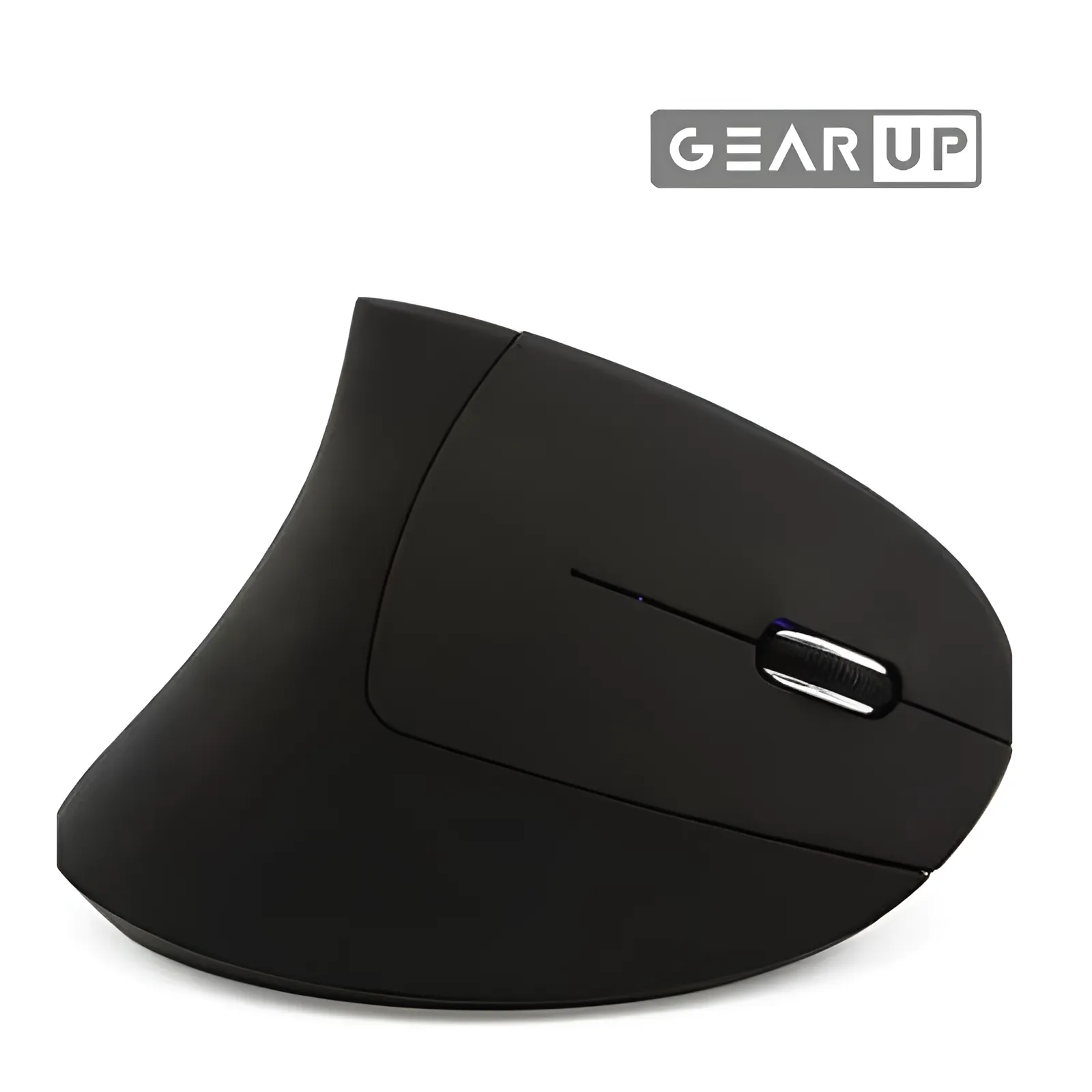
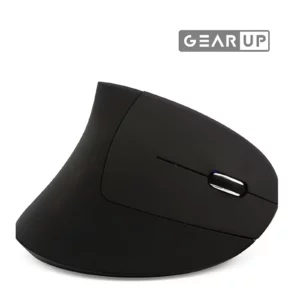
 GearUP WM50 Ergonomic Bluetooth Wireless Vertical Mouse
- Model: GearUP WM50
- Connectivity: Bluetooth 5.2 + 2.4GHz Wireless
- Charging Port: USB Type-C
- Battery Type: Built-in rechargeable lithium battery
- Warranty: 6 Months warranty
GearUP WM50 Ergonomic Bluetooth Wireless Vertical Mouse in Bangladesh
Get The GearUP WM50 Ergonomic Bluetooth Wireless Vertical Mouse at UP Store BD Enjoy top quality and unbeatable prices with the best customer service in Bangladesh
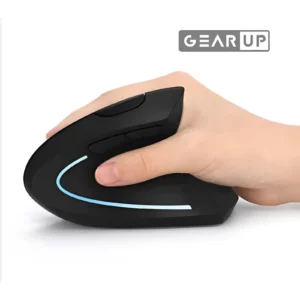
This vertical ergonomic mouse is specially designed to fit the natural contour of the human hand, reducing muscle strain, fatigue, and wrist discomfort during extended computer usage. Perfect for office professionals, gamers, and anyone working long hours on a computer, this mouse features dual connectivity (Bluetooth & 2.4GHz), rechargeable battery, and user-friendly design for enhanced productivity and comfort.
Features:
- Ergonomic vertical design – promotes natural wrist position
- Dual connection modes: 2.4G USB Receiver & Bluetooth 5.2
- Built-in rechargeable lithium battery with USB charging
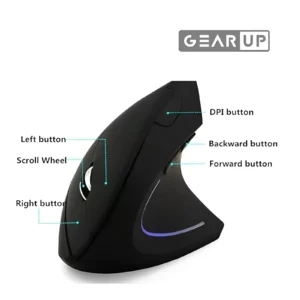
- Adjustable DPI sensitivity for precise control
- Power-saving sleep mode
- Mode-switchable button for easy Bluetooth pairing
- LED indicator for mode and charging status
- Silent click buttons – ideal for quiet environments
- Compatible with Windows, macOS, Android, and Linux
How to Use
Option 1: 2.4G Wireless Connection
Use this mode if you prefer a simple USB plug-and-play method.
Step-by-Step:
- Take out the USB receiver from the bottom of the mouse.
- Insert the receiver into a USB port on your computer.
- Turn on the switch at the bottom of the mouse (usually labeled “switch key”).
- The mouse will automatically pair with your computer. You can start using it immediately.
Tip: If the cursor doesn’t move smoothly, use a high-quality mouse pad for better performance.
Option 2: Bluetooth Connection
Use this if your device supports Bluetooth and you want to save a USB port.
Step-by-Step:
- Turn on Bluetooth on your computer or device.
- Turn on the mouse using the bottom switch.
- Press and hold the mode switch button until the Bluetooth indicator starts blinking.
- On your device, search for BT5.2 Mouse in the list of Bluetooth devices and connect.
- Once connected, the blinking light will become steady or stop.
Switching Bluetooth Devices
If you want to connect the mouse to another Bluetooth device:
- Press the mode button once – the indicator blinks slowly.
- Press and hold the mode button until it blinks rapidly.
- On the new device, search for BT5.2 Mouse and pair.
Charging the Mouse
- Plug in the included USB charging cable to the mouse and a power source (USB port, phone charger).
- The red light means charging is in progress.
- When the light turns green, the battery is fully charged – unplug the charger.
⚠️ Warning: Do not expose the battery to fire or high temperatures to avoid explosion risk.
| Model | GearUP WM50 |
|---|---|
| Connectivity | 2.4G Wireless (USB Receiver) + Bluetooth 5.2 |
| DPI Settings | Adjustable (usually 800 / 1200 / 1600 DPI) |
| Battery Type | Rechargeable Lithium Battery (Built-in) |
| Charging Time | Approx. 1–2 hours |
| Usage Time | Up to several days on a single charge |
| Charging Indicator | Red while charging, green when full |
| Switch Key | Located at the bottom to toggle power and mode |
| Bluetooth Name | BT5.2 Mouse (visible during pairing) |
| Weight | Lightweight and travel-friendly |
| Material | High-quality ABS plastic |
| Compatibility | Windows 7/8/10/11, macOS, Linux, Android tablets/smartphones with OTG support |
| Easy to carry and use anywhere | home, office, or travel |
| No need to install drivers | plug and play functionality |
| Features | Supports healthy wrist alignment and relieves pressure on tendons Great for multitasking across multiple devices Saves cost over time with a rechargeable power source Ideal for professionals, freelancers, gamers, and students Designed for all-day comfort and efficiency Dual connection means more flexibility across devices Reduces risk of repetitive strain injury (RSI) Energy-efficient with auto-sleep function Strong wireless signal with smooth cursor control Excellent value for a productivity-enhancing accessory 1 × Vertical Wireless Ergonomic Mouse 1 × USB Receiver (located at the mouse base) 1 × USB Charging Cable (standard Android type) 1 × Instruction Manual (multilingual) |
Ratings & Reviews
No reviews yet. Be the first to review this product!
Write a review
Reviews come from people who actually bought this product. Sign in to leave one, or create an account.